
Last updated: 18 July 2026 · Reading time: 14 min · Author: Joshua White, Travel Documentation Writer at MyJet24
TL;DR — Key Facts
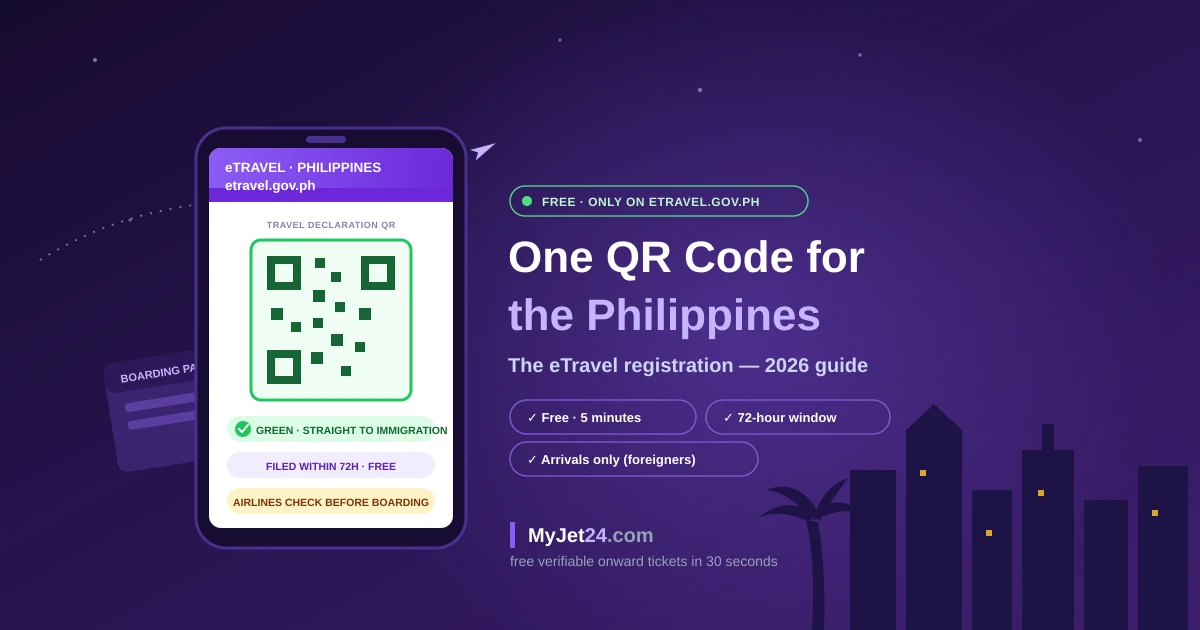
- eTravel is the Philippines' single electronic travel declaration — one free registration at etravel.gov.ph (or the eGovPH app) that covers immigration, health and customs data and produces a QR code you'll show at check-in and on arrival.
- Everyone flying INTO the Philippines needs it — Filipinos, foreigners and crew alike — filed within 72 hours before arrival. Leaving is different: only Filipino passengers register outbound; departing foreigners are exempt.
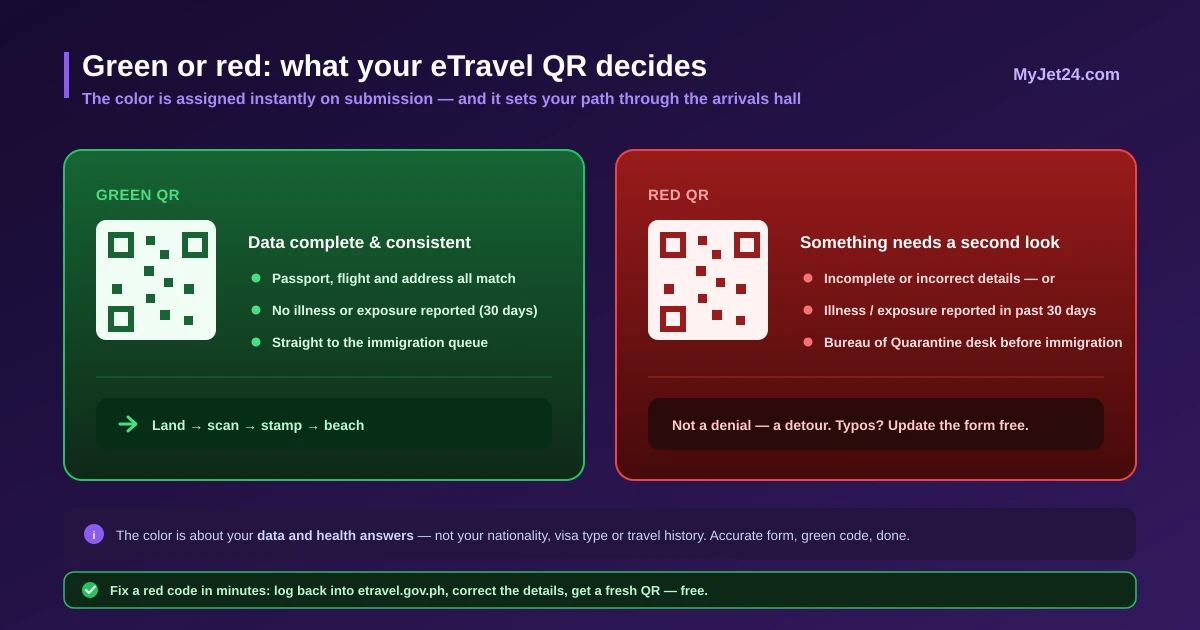
- The QR color matters: green means your data is complete and you proceed straight to immigration; red means something is incomplete, incorrect — or you reported illness or exposure in the past 30 days — and you'll see the Bureau of Quarantine first.
- It is completely free — and surrounded by paid copycats. Search results are crowded with unofficial "eTravel pass" sites charging service fees for the free form. Only etravel.gov.ph and the eGovPH app are real.
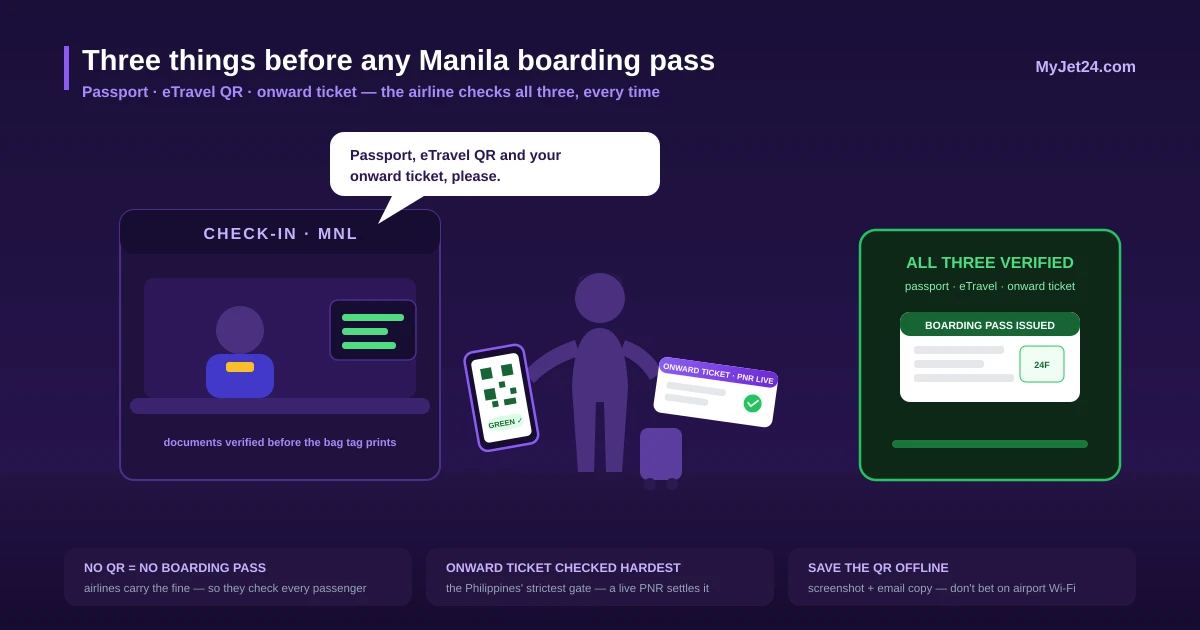
- eTravel is not a visa and not an onward ticket. Your visa-free entry (30 days for most nationalities) and the Philippines' famously strict onward-ticket requirement are separate hurdles — airlines check all three before you board.
The Philippines eTravel pass is a free electronic travel declaration, filed at etravel.gov.ph or through the eGovPH app within 72 hours before travel, that is mandatory for all passengers and crew arriving in the Philippines and for Filipino passengers departing — arriving travelers receive a green QR code (complete data, straight to immigration) or a red one (incomplete data or recent illness/exposure, screened by quarantine first). Airlines verify the QR code at check-in and can refuse boarding without it. eTravel consolidates the old arrival card, health declaration and customs form, but it is not a visa and does not replace the Philippines' return/onward ticket requirement.
In this guide
- What is the Philippines eTravel pass?
- Who must register — and who is exempt
- The 72-hour rule and what the QR colors mean
- How to register, step by step
- The airport reality: check-in, arrival, immigration
- The copycat economy: only etravel.gov.ph is real
- eTravel ≠ visa ≠ onward ticket: the Philippine entry trio
- From One Health Pass to one QR: how eTravel evolved
- Six mistakes to avoid
- Frequently asked questions
What is the Philippines eTravel pass?
eTravel — officially the Philippine One-Stop Electronic Travel Declaration System — is the form that replaced three pieces of paper at once: the arrival card you used to fill on the plane, the pandemic-era health declaration, and the customs baggage form. One online registration, one QR code, checked by your airline before boarding and scanned on arrival.
Three facts define the system, and each corrects a common misunderstanding:
- It's a declaration, not a permission. eTravel doesn't approve you to enter — it registers who's coming. Your right to enter comes from your visa or the visa-free privilege most nationalities enjoy (typically 30 days); the QR code just moves your data ahead of you.
- It's run by the government and costs nothing. The only official channels are etravel.gov.ph and the eGovPH mobile app (iOS/Android). Every site charging a "processing fee" is a middleman at best — more on that below.
- It's checked twice. Airlines verify the QR at check-in (no code, no boarding pass), and Philippine immigration scans it at the counter. Since enforcement tightened in September 2025, "I'll sort it out on landing" stopped being a plan.
Who must register — and who is exempt
The obligation is direction-dependent — the detail most guides get wrong:
| Traveler | Arriving | Departing |
|---|---|---|
| Foreign tourists & visitors | Yes — required | No — exempt |
| Filipino citizens | Yes — required | Yes — required |
| Airline & ship crew | Yes — Filipino and foreign crew | Per carrier procedure |
| Foreign diplomats & dependents, dignitaries & delegations, 9(e) visa holders, diplomatic/official/service passports | Exempt | Exempt |
| Children & infants | Yes — every traveler needs a registration | Follows the rules above |
Note the asymmetry: a foreign tourist files exactly once per trip — before flying in. When you leave, only your Filipino co-passengers are re-registering. If a "helpful" website tries to sell you a departure eTravel as a foreigner, you've found a copycat, not a requirement.
The 72-hour rule and what the QR colors mean
Registration opens 72 hours (3 days) before your arrival in the Philippines — you cannot file earlier, so this is a day-before-departure task for most itineraries, not a booking-day one. Once submitted, the system issues your QR code instantly, in one of two colors:
- Green QR — your information is complete and consistent. On landing, you walk straight to the immigration queue and scan.
- Red QR — something is incomplete or incorrect, or you disclosed being sick or exposed to a communicable disease within the past 30 days. Red doesn't mean denied entry — it routes you through the Bureau of Quarantine desk before immigration for a quick assessment.
Two practical notes: the health questions are the one part of the form where honesty and precision genuinely change your airport path, and a red code caused by a typo (wrong passport number, garbled flight number) can be fixed — log back in and update the registration; corrections are free, like everything else in the system.
How to register, step by step
Step 1 — Open the official channel
Type etravel.gov.ph directly into your browser, or open the eGovPH app. Don't arrive via ads or search results — that's precisely where the paid clones live. There is no account requirement for a basic registration; returning users can save profiles for faster refiling.
Step 2 — Enter your trip exactly as ticketed
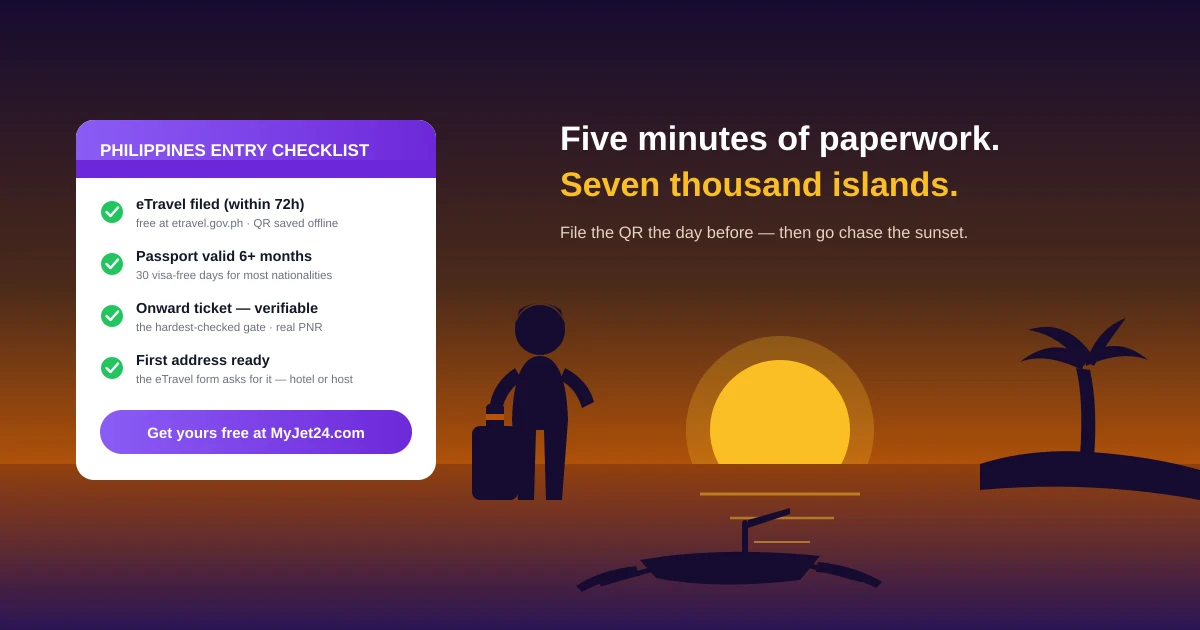
You'll provide passport details, nationality, flight number, arrival date, and your first address in the Philippines (hotel or host), plus contact details and the short health checklist. Everything must match your passport and booking character for character — mismatches are the top cause of red codes and check-in friction.
Step 3 — One registration per traveler
Every passenger needs their own eTravel record, children and infants included — a parent simply completes the form on the child's behalf. Do the whole family in one sitting the day before departure and keep the codes together.
Step 4 — Save the QR twice
Screenshot the code to your phone's photo library and keep the confirmation email. Airport Wi-Fi and roaming data have ended more holidays than typhoons; an offline copy costs nothing.
The airport reality: check-in, arrival, immigration
Here's how the QR actually gets used on a typical trip into Manila, Cebu or Clark:
- Departure airport, check-in desk: the agent asks for your passport, your onward or return ticket, and your eTravel QR. Carriers flying to the Philippines verify all three because they're fined and forced to fly back non-compliant passengers. No QR means stepping out of the queue to register on your phone — doable, but with a full luggage trolley and a closing counter, it's the worst ten minutes in travel.
- On arrival: follow the eTravel signage. Green-code passengers join the regular immigration lines; red-code passengers see the quarantine desk first.
- Immigration counter: the officer scans the QR, matches it to your passport, asks the usual questions (purpose, length of stay, onward travel), stamps you in. The eTravel data has already told them who you are before you say a word.
Total added time when everything is in order: seconds. Total added time when it isn't: your rebooking fee will tell you.
The copycat economy: only etravel.gov.ph is real
Search "Philippines eTravel" right now and count the results ending in .com that dress themselves in official-looking blue: "eTravel Pass," "eTravel Registration," "Unified Electronic Travel Declaration Platform." They occupy the top of the results page, they look plausible — and they charge US$20–50 in "service fees" for a form the Philippine government issues free in five minutes. Some deliver a real registration made with your data; others deliver nothing but a receipt.
This is the same pattern we've documented around Vietnam's pre-arrival form and South Africa's SARS declaration: every free government form spawns a paid shadow industry within weeks. The tell-tale signs, in order of reliability:
- The domain. The Philippine government uses .gov.ph. No exceptions, no "partner portals." etravel.gov.ph is real; etravel-anything.com is not.
- The fee. The official FAQ states registration and updates are "absolutely free of charge." Any payment page is your exit cue.
- The urgency theater. Countdown timers, "priority processing," "24h approval guarantee" — the real system issues QR codes instantly and has nothing to expedite.
Already paid a copycat? Check whether you actually received a QR code and verify your registration exists by logging into etravel.gov.ph with the same details. If there's no record, re-register officially (free), dispute the card charge, and treat any data you gave the site — passport number included — as exposed.
eTravel ≠ visa ≠ onward ticket: the Philippine entry trio
The Philippines checks three separate things before letting you in, and the eTravel QR is only the newest of them:
| Requirement | What it is | Who checks it |
|---|---|---|
| eTravel QR | Free declaration, filed within 72h of arrival | Airline at check-in + immigration on arrival |
| Visa or visa-free entry | 30 days visa-free for most nationalities; extensions or visas beyond that | Immigration officer |
| Onward/return ticket | Proof you'll leave within your authorized stay — one of the world's strictest enforcement records | Airline at check-in (hard check), immigration (sometimes) |
The third row is where one-way travelers get caught. Philippine carriers and their partners are famous for refusing boarding without proof of onward travel — it's the country that anchors our global onward-ticket overview, and our dedicated Philippines dummy ticket guide exists because of it. If your plans are open-ended, a verifiable onward reservation for the Philippines with a live PNR — generated at MyJet24 with Premium for $7.90 in about 30 seconds — closes that gate before the eTravel QR even comes up.
From One Health Pass to one QR: how eTravel evolved
Understanding the system's short history explains its quirks:
- 2021 — the pandemic-era One Health Pass makes digital pre-registration familiar (and infamous for crashing);
- December 2022 – 2023 — eTravel replaces it, absorbing the paper arrival card and health declaration into one QR;
- 2023 — the customs baggage declaration folds in, making eTravel a genuine single window for immigration, health and customs data;
- September 2025 — enforcement tightens: airlines systematically verify the QR at check-in for all inbound passengers;
- 2026 — eTravel sits in a region-wide standard alongside Singapore's SGAC, Thailand's TDAC and India's e-Arrival Card — our Asia digital arrival cards guide maps the whole landscape.
The trajectory mirrors what Australia and South Africa began this month: paper forms die, QR codes take over, and the pre-arrival window becomes part of every trip's checklist.
Six mistakes to avoid
- Registering on a .com site. The official system lives at etravel.gov.ph and in the eGovPH app — free, instant, no "service fee." Everything else is a middleman or worse.
- Trying to file a week early. The window opens 72 hours before arrival. Calendar it with your online check-in, not your booking.
- Letting a red QR panic you — or ignoring it. A red code from a typo is fixable in minutes by updating the registration; a red code from the health questions just means a quarantine-desk stop. Neither is a denial — but showing up with someone else's approach ("it'll be fine") slows the whole family down.
- Skipping the kids. Every passenger needs a registration, infants included. Parents file on their behalf — one record per child, not one per booking.
- Treating the QR as your entry permit. eTravel is a declaration. Your visa-free days, passport validity (six months) and onward ticket are checked separately — and the onward ticket is checked hardest.
- Arriving at check-in with nothing saved offline. Screenshot the QR and keep the email. The check-in queue is the wrong place to rediscover your roaming settings.
Frequently asked questions
Is eTravel mandatory for the Philippines in 2026?
Yes — for everyone arriving by air: Filipino and foreign passengers and crew alike. Departing travelers are split: Filipino passengers must register outbound, while departing foreign passengers are exempt. Airlines verify the QR code at check-in before issuing boarding passes.
How much does the Philippines eTravel pass cost?
Nothing. Registration and any updates are completely free at etravel.gov.ph and via the eGovPH app. Websites charging US$20–50 in "service" or "processing" fees are unofficial middlemen — the government takes no payment at any step.
When should I register my eTravel?
Within 72 hours (3 days) before your arrival in the Philippines — the system won't accept earlier filings. The practical routine: complete it the day before departure, together with online check-in, and screenshot the QR code.
Do foreigners need eTravel when leaving the Philippines?
No. Outbound registration applies to Filipino passengers only — departing foreign travelers are exempt. A foreign tourist therefore files exactly once per trip, before arrival.
What information do I need for the registration?
Passport details, nationality, flight number and arrival date, your first address in the Philippines (hotel or host), contact details, and answers to a short health checklist covering the past 30 days. Everything must match your passport and ticket exactly.
What does a red eTravel QR code mean?
Either your submitted data is incomplete or incorrect, or you reported illness or exposure to a communicable disease within the past 30 days. Red-code passengers are assessed by the Bureau of Quarantine before immigration. Data errors can be fixed by updating your registration — corrections are free.
Do children and infants need their own eTravel?
Yes — every traveler needs an individual registration regardless of age. A parent or guardian completes the form on the child's behalf and keeps all the family's QR codes together for check-in and arrival.
Do transit passengers need eTravel?
Travelers merely connecting through a Philippine airport without clearing immigration generally aren't the system's target — it registers arrivals into the country. If your connection requires passing immigration (terminal change, separate tickets, overnight layover), register like any arriving passenger. When in doubt, five free minutes settle it.
Does eTravel replace a visa for the Philippines?
No. eTravel is a declaration, not an entry authorization. Most nationalities enter visa-free for up to 30 days; longer stays need extensions or visas through the Bureau of Immigration. The QR code doesn't change any of that — it just digitizes your arrival paperwork.
Do I still need an onward ticket for the Philippines?
Absolutely — and it's enforced harder than almost anywhere else. Airlines routinely refuse boarding to one-way passengers without proof of onward travel, independent of a perfect eTravel QR. A verifiable onward reservation with a live PNR, like MyJet24's Premium onward ticket ($7.90), satisfies the check.
Can my airline really deny boarding without eTravel?
Yes. Carriers flying to the Philippines verify the QR at check-in because they bear the cost of returning non-compliant passengers. In practice you'd be asked to register on the spot — feasible if the counter is still open, miserable if it isn't. File the day before instead.
Is the customs declaration included in eTravel?
Yes — the customs baggage declaration was folded into eTravel in 2023, which is why the form asks about goods and currency. Travelers carrying declarable items (over US$10,000 or PHP 50,000 in currency, dutiable goods) are routed to customs on arrival; everyone else walks the green lane.
How long is my eTravel QR code valid?
It's tied to the specific trip you registered — the flight and date you entered. If your flight changes, log back in and update the registration (free) so the details match your new ticket; a QR pointing at yesterday's cancelled flight is the airport version of a typo.
Where is the official eTravel website?
Only etravel.gov.ph — type it directly into your browser — or the government's eGovPH app on iOS and Android. The .gov.ph domain is the reliable marker: no legitimate Philippine government service runs on a .com address.
The bottom line
eTravel is what good travel bureaucracy looks like: one free form, filed in five minutes the day before you fly, that replaces three pieces of paper and gets you through Manila's arrivals hall faster than the pre-2023 version of you would believe. The only people it punishes are the unprepared — and the only people it enriches are the copycat sites charging for what the .gov.ph domain gives away.
Stack the trio before you head to the airport: eTravel QR saved offline, passport with six months' validity, and the onward ticket Philippine carriers demand hardest of all — booked, or generated with a live PNR at MyJet24 with Premium ($7.90) in about 30 seconds. Then the only queue that matters is the one for the first halo-halo.
Sources
- eTravel — Philippine Travel Information System, official FAQ: https://etravel.gov.ph/frequently-asked-questions
- eTravel — official registration portal: https://etravel.gov.ph
- Trip.com — e-Travel Philippines Guide 2026: https://ph.trip.com/guide/info/e-travel-philippines.html
- Traveloka — Philippines eTravel Pass 2026: Registration and What to Expect at the Airport: https://www.traveloka.com/en-en/explore/tips/travelling-to-the-philippines-what-you-need-to-know-about-etravel-pass-trp/402050
- Air Traveler Club — Register for eTravel in Philippines within 72 hours: https://www.airtraveler.club/news/philippines-mandatory-etravel-registration-72-hours/
This guide reflects the eTravel system rules as published on etravel.gov.ph as of 18 July 2026. Registration windows, exemptions and enforcement practice can change — verify against the official portal before you travel. This article is informational and not legal advice.
