
TL;DR
- A real dummy ticket maker creates a genuine flight reservation with a verifiable PNR — not a Photoshopped PDF.
- Most “free” makers output a fabricated, watermarked PDF with a fake or expired PNR that fails the airline lookup and can be flagged at the embassy.
- The test that matters: can the airline look up your booking reference? If not, it is not a real reservation.
- MyJet24’s premium reservation costs $7.90 — real airline data, a genuine checkable PNR, a clean PDF with no watermark, and multi-city support.
- Always verify the PNR yourself in the airline’s “Manage Booking” tool before you submit or fly.
If you are searching for a “dummy ticket maker,” what you actually need is a flight reservation an embassy and an airline can verify — not a picture of one. That distinction is the whole game. A genuine reservation sits in the airline’s system with a live booking reference (PNR) anyone can look up; a fabricated PDF only looks the part until someone checks. This guide explains how a real maker works, why free generators get people refused, and how to create a verifiable reservation in about a minute.
Quick answer
A dummy ticket maker is a tool that generates a flight reservation for visa or proof-of-onward-travel use. A trustworthy maker books a real reservation in the airline system and gives you a verifiable PNR plus a clean PDF. Free makers usually produce a fabricated PDF with a fake or expired PNR and a watermark, which can be flagged. MyJet24’s premium reservation ($7.90) is real, verifiable and watermark-free; always confirm the PNR in the airline’s “Manage Booking” page before submitting.
What a dummy ticket maker actually does
A dummy ticket maker is a tool that produces a flight reservation document you can attach to a visa application or show as proof of onward travel — without buying a full, non-refundable ticket. The honest version of this tool does something specific behind the scenes: it creates a real reservation (a temporary hold) in an airline or global distribution system and returns a document carrying a genuine PNR — the six-character booking reference that identifies your booking. The dishonest version skips all of that and simply lays your name and route onto a template. Both hand you a PDF; only one of them survives a check. If you are new to the concept, our explainer on what a dummy ticket is covers the fundamentals.
The PNR is the whole point
PNR stands for Passenger Name Record. It is the unique reference an airline assigns when a booking is created, and it is what makes a reservation verifiable: type it (with the surname) into the airline’s “Manage Booking” tool and the itinerary appears. Embassies and airline check-in agents rely on exactly this. A maker that gives you a string of characters that looks like a PNR but returns “booking not found” has given you nothing useful — worse, it has handed you a document that can be exposed in seconds. Before you trust any reservation, learn how to verify your dummy ticket PNR so you are never relying on a reference you have not checked yourself.
"A dummy ticket is only as good as its PNR. If the airline can’t look it up, neither a consulate nor a check-in agent will accept it."
Free maker vs paid reservation: what you’re really comparing
“Free dummy ticket maker” is one of the most-searched terms in this space, and it is easy to see why — nobody wants to pay if they don’t have to. But the word “free” hides a fork in the road. A free tool that creates a real, short-lived reservation is genuinely useful. A free tool that just renders a PDF is a liability dressed up as a shortcut.
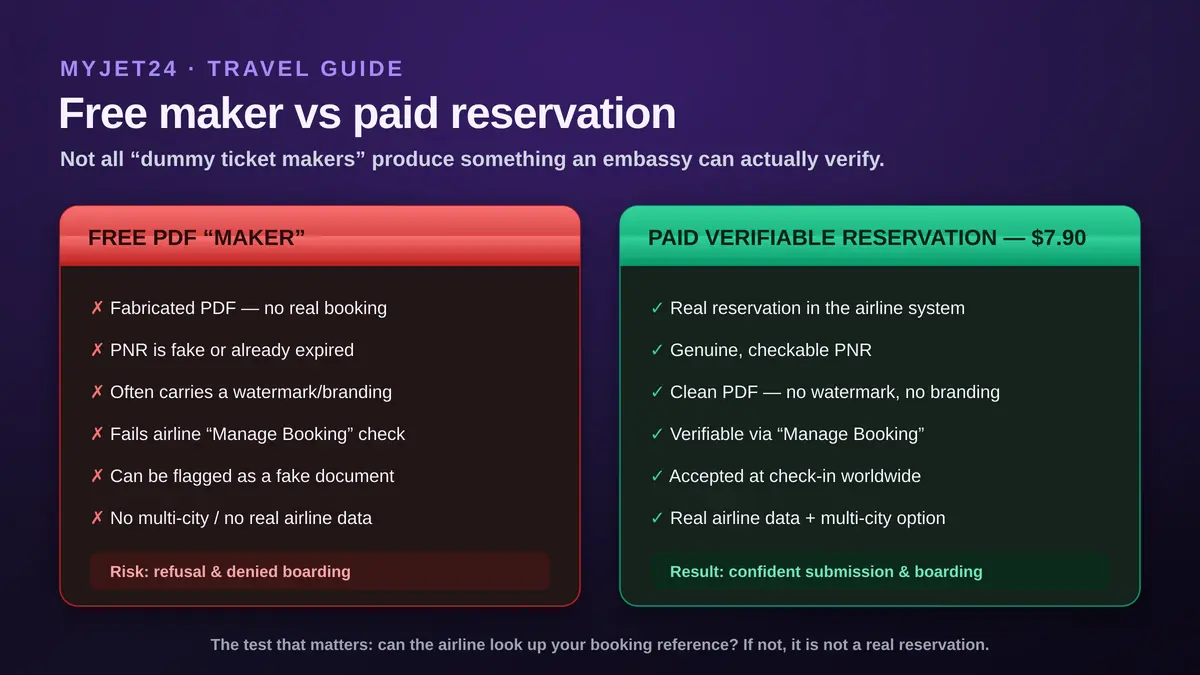
| Feature | Free PDF “maker” | Paid reservation ($7.90) |
|---|---|---|
| Real booking in airline system | Usually no | Yes |
| Verifiable PNR | Fake / expired | Genuine, checkable |
| Watermark / branding | Common | None |
| Multi-city / real airline data | Rare | Included |
| Accepted at check-in | Risky | Yes |
| Cost | $0 | $7.90 |
For a deeper cost-and-risk breakdown, see dummy ticket vs refundable flight and our 2026 dummy ticket price guide. The short version: a refundable fare ties up hundreds of dollars and risks cancellation fees; a fabricated free PDF risks your whole application; a real $7.90 reservation does neither.
Why most free makers get people refused
The failure mode is consistent. A free generator gives you a clean-looking PDF, you submit it, and one of three things happens. First, a consular officer enters the PNR and gets nothing — instant credibility problem. Second, the airline check-in agent cannot find the booking, so you are denied boarding even though your visa is fine; airlines are liable for improperly documented passengers and will not take the risk. Third, the document carries a watermark or “sample” stamp that quietly marks it as not genuine. Any one of these turns a free shortcut into a refusal. This is also why a true fake ticket — a fully invented document — is dangerous rather than clever; we cover that in fake flight ticket for visa: why it’s risky. Some free makers do create a brief real hold, and we tested how well those hold up in do free dummy ticket generators actually work.
How to make a verifiable reservation in 5 steps
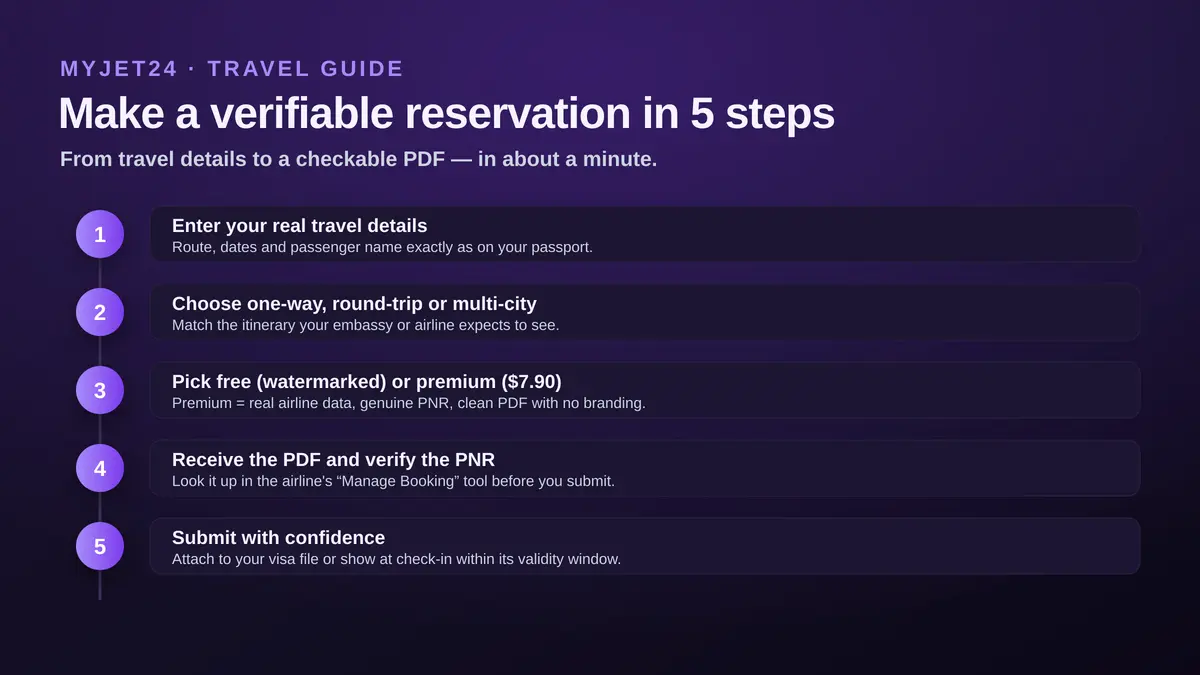
- Enter your real travel details — route, dates and the passenger name exactly as printed on the passport.
- Choose one-way, round-trip or multi-city — match the itinerary your embassy or airline expects to see.
- Pick free or premium — free gives a watermarked sample; premium ($7.90) gives real airline data, a genuine PNR and a clean PDF.
- Receive the PDF and verify the PNR — look it up in the airline’s “Manage Booking” tool right away.
- Submit with confidence — attach it to your visa file, or show it at check-in, within its validity window.
"Make it real, then check it yourself. Sixty seconds verifying a PNR is the cheapest insurance in the whole visa process."
How to tell if your reservation is verifiable
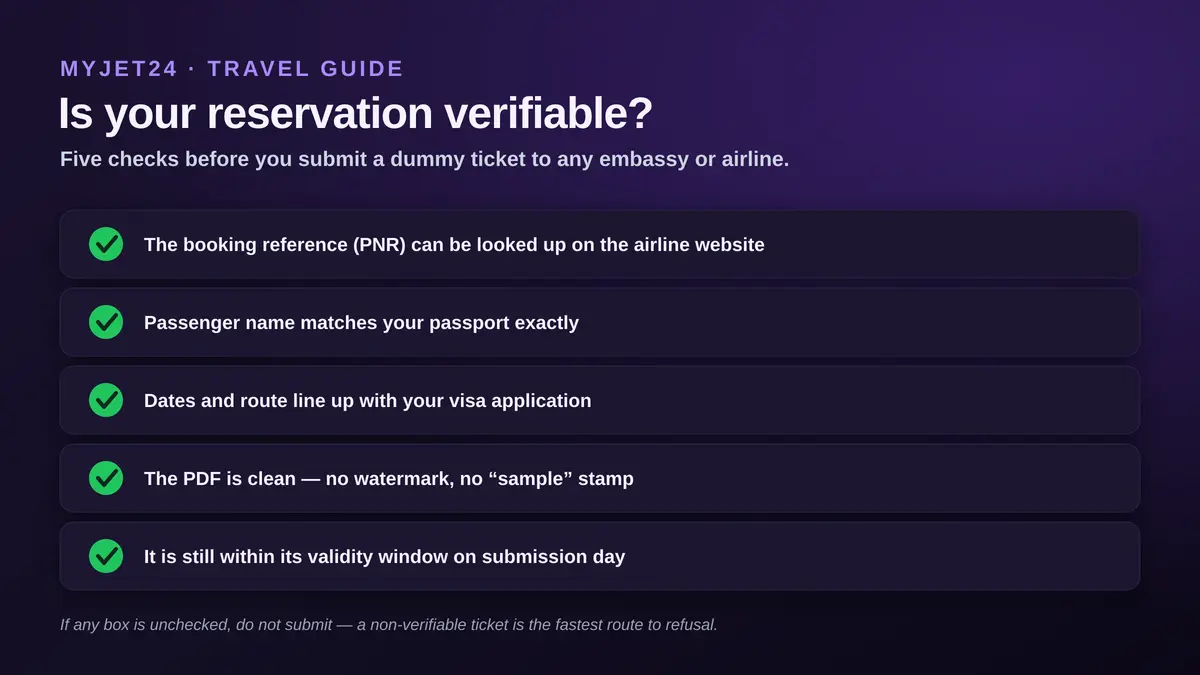
Run these five checks before any submission. If you cannot tick all five, do not send it.
- The PNR can be looked up on the operating airline’s website.
- The passenger name matches your passport exactly, including spelling and order.
- Dates and route line up with the itinerary in your visa application.
- The PDF is clean — no watermark, no “specimen/sample” stamp, no third-party branding.
- It is still valid on the day you submit — reservations expire (more on that below).
How long a made reservation stays valid
A dummy reservation is a temporary hold, not a paid ticket, so it has a shelf life. In practice the PNR is typically live for 24 to 72 hours, and depending on the airline and your travel dates it can be issued to remain valid up to about two weeks. The mistake travellers make is generating the reservation too early, so it has lapsed by the time the consulate opens the file. Time it to be active on submission day and during the assessment window, and re-issue if your appointment moves. The full picture — expiry rules and what embassies expect — is in how long a dummy ticket is valid.
One-way, round-trip and multi-city tickets
A good maker lets you match the document to the trip. For most tourist visas a round-trip reservation shows clear intent to return. For onward-travel rules at the border, a one-way onward segment out of the country is often enough. And for complex plans — entering one country and leaving from another, or chaining several stops — you need multi-city support so the dates and airports tell a coherent story. Free generators rarely handle multi-city cleanly, which is one more reason a real reservation tool is worth the small fee when your itinerary is anything beyond a simple return. If you are unsure whether your destination even requires this, check our pillar on proof of onward travel by country.
Is using a dummy ticket maker legal?
Using a genuine flight reservation as proof of intended travel is a long-standing, widely accepted practice — embassies ask for evidence of your plans, not proof that you have already paid in full. What crosses the line is submitting a fabricated document: a PDF designed to look like a booking that does not exist. The legal and practical risk lives entirely on that side of the line. A real reservation with a verifiable PNR keeps you on the right side; an invented PDF does not. We unpack the nuances in is a dummy ticket legal. The simplest rule: never submit anything you cannot stand behind if an officer checks it in front of you.
Choosing a maker you can trust
The market is crowded, and quality varies wildly. When you evaluate a tool, look past the homepage and test the substance. Does it state clearly that it creates a real reservation with a verifiable PNR? Does the sample PDF look like a normal airline confirmation, without a watermark? Is the price transparent, and is there a way to re-verify or re-issue if your dates change? Avoid services that promise “guaranteed approval” — no document can guarantee a visa decision — and avoid anything that will not let you check the PNR before you rely on it. We compared the field in best dummy ticket services 2026, and the same theme runs through every honest review: verifiability is the only feature that actually matters.
Common mistakes when making a dummy ticket
- Trusting a watermarked PDF — if it says “sample,” an officer will read it as not genuine.
- Never checking the PNR — assuming it works instead of looking it up in “Manage Booking.”
- Generating it too early — the hold expires before the consulate opens your file.
- Name mismatch — the reservation must match the passport spelling exactly.
- Inconsistent dates — the ticket, hotel and application must tell one story.
- Using a fully fake document — the one choice that turns a routine step into a real risk.
Who needs a verifiable reservation
The need is broad. Visa applicants attach a flight reservation as part of the document set for Schengen, UK, US, Canada and most other applications. Onward-travel travellers — flying into countries that require proof you will leave — show it to the airline at check-in and to immigration on arrival. Digital nomads and long-stay travellers use one to satisfy entry rules without committing to a fixed return. In every case the requirement is identical: the document must be real enough to verify. A maker that delivers that solves the problem; one that delivers a pretty PDF only postpones it to the worst possible moment.
Why the $7.90 premium reservation is the safe default
For the price of a coffee, the premium reservation removes every failure mode described above. It is a real booking with a genuine, checkable PNR, delivered as a clean PDF with no watermark and no branding, built on real airline data, and it supports multi-city itineraries. You can verify it yourself in “Manage Booking” before you submit, and present it at check-in anywhere in the world. Compared with tying up a refundable fare or gambling on a fabricated free PDF, $7.90 for something that simply works is the rational choice — which is exactly why it is the default we recommend for any application that matters.
Frequently asked questions
What is a dummy ticket maker?
It is a tool that produces a flight reservation for visa or onward-travel use without buying a full ticket. A trustworthy maker creates a real reservation with a verifiable PNR; a poor one only renders a PDF.
Are free dummy ticket makers safe to use?
Only if they create a genuine, checkable reservation. Many free makers output a fabricated, watermarked PDF with a fake or expired PNR, which can be flagged at the embassy or fail at check-in.
Make a verifiable flight reservation in under a minute
Real airline data, a genuine checkable PNR, and a clean PDF with no watermark — just $7.90. Verify it yourself before you submit.
Create your reservation →Marc Hoffmann
Travel-documents specialist at MyJet24. Covers flight reservations, proof of onward travel and visa documentation for travellers worldwide.
